


How an ATS connection works
Your team keeps working in your ATS. Flowmingo runs the assessment and writes the result back to the same candidate.
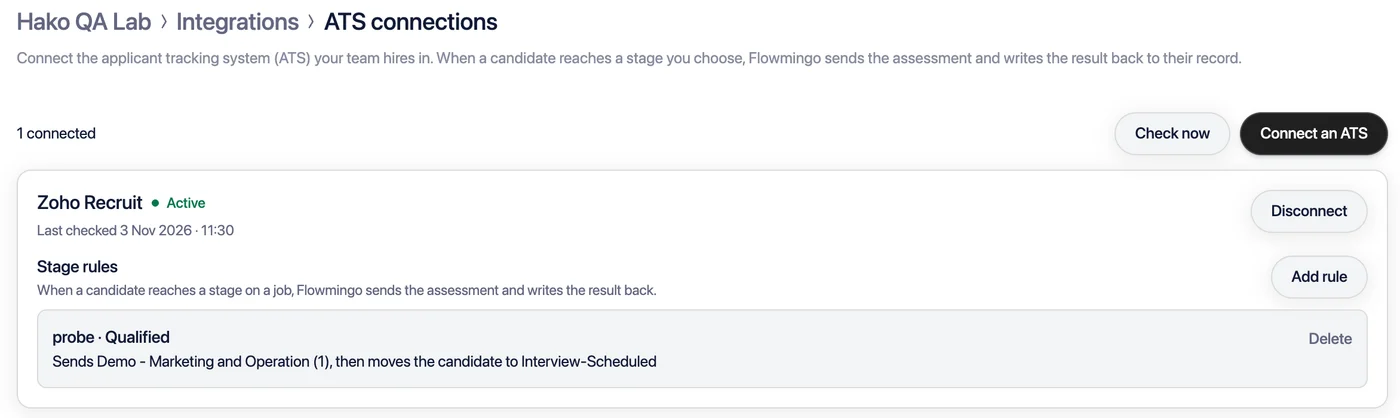
- Connect your ATS once. In Flowmingo, open Settings → Integrations → ATS connections, click Connect an ATS and sign in to your ATS.
- Add a stage rule. Pick a job in your ATS, a stage on it, and the Flowmingo AI interview or role-play to send.
- Candidates are invited by email. Every five minutes Flowmingo reads the stage, and each candidate in it gets the assessment, once per rule.
- The result goes back to your ATS. When the AI evaluation is ready, the candidate's record gets the score out of 100 and a link to the full report. Where your ATS allows it, Flowmingo also moves the candidate to the next stage you chose.
ATS connections are on every Flowmingo plan. Pick your ATS above for its setup guide.
Send from inside Recruitee or Zoho Recruit
Recruitee and Zoho Recruit also list Flowmingo in their marketplaces. There a recruiter sends an assessment by hand from the candidate, with a Flowmingo API key, and the score comes back to the same record:
Your ATS is not listed?
Flowmingo works with any ATS that can call an API or receive a webhook:
- Send invitations from your ATS with the API key integration.
- Get statuses and scores back in your ATS with webhooks.
Write to support@flowmingo.ai and tell us which ATS you use.
No ATS yet?
Flowmingo includes a free applicant tracking system on every plan, the Free plan too:
- Stages you define, on a drag-and-drop board.
- Notes and ratings from your team, with no limit on team members.
- Job posts with free boosting, and every assessment a candidate takes on one profile.